
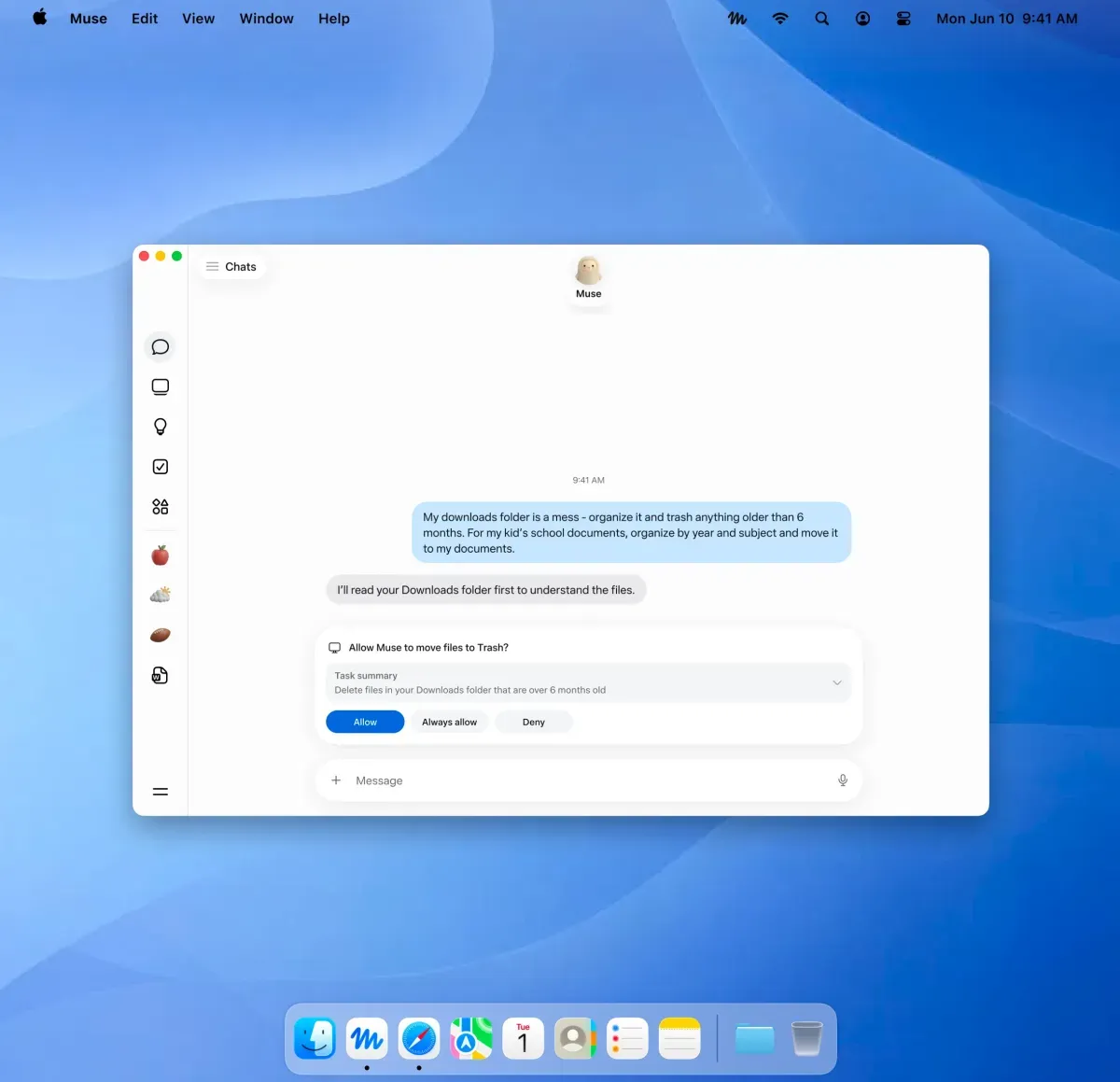
- Native access — Muse can interact with files, Mail, Messages, Calendar and Notes inside their native macOS apps.
- User controls — Access is opt‑in and the app asks for approval before performing sensitive actions (for example sending messages or deleting files).
- Cross‑device sync — Conversations and ongoing Muse workflows sync across iPhone, iPad, web, WhatsApp and the Mac.
- Agent model — Muse is presented as an agent that executes multi‑step workflows rather than a single-turn chatbot.
- Isolation and approvals — Meta describes a Muse Secure VM and an approval flow for actions requiring sensitive data or transactions.
- Payments & credentials — Meta says Muse won’t directly view passwords or stored payment details and uses one‑time cards at checkout (per Meta product posts covered by reporting).
- Competitive signal — Moves Muse into the same desktop agent market occupied by OpenAI and Google desktop agents.
- Risk/reward — Desktop actions increase user value but raise stakes for permission clarity and auditability.
- Developer/product distinction — Meta separates Muse the consumer agent from the Muse Spark model/API used by developers.
Useful?